Login Page

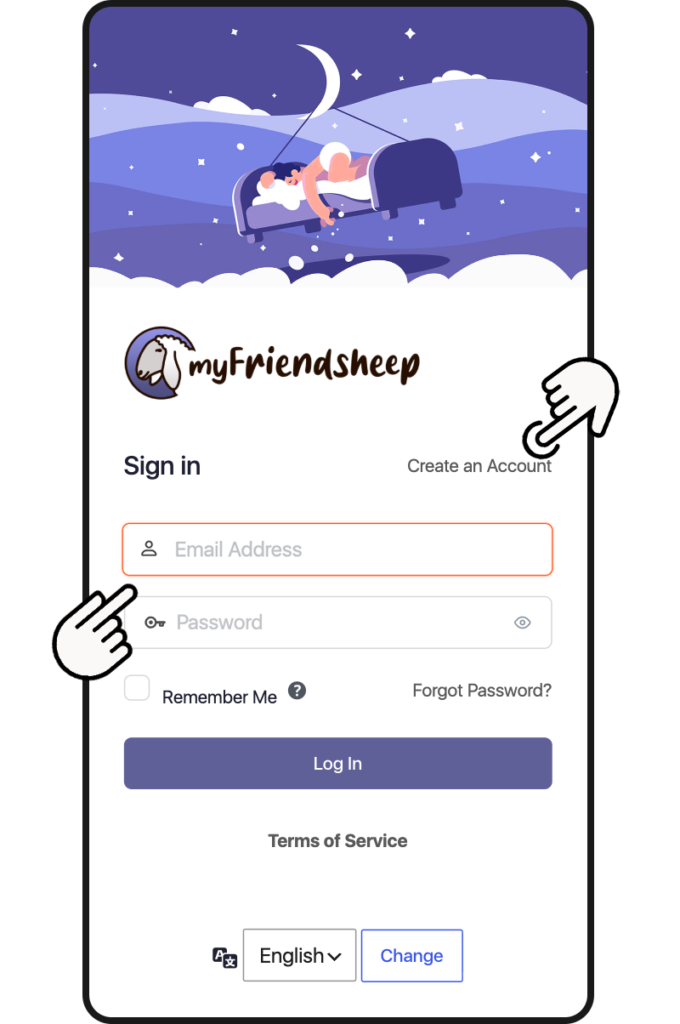
The Login page is the first one you encounter when you access the social network.
Just enter the nickname you registered with and of course your password.
You can also select the language of the menus.

If you have not yet registered a user click on Create an Account, you will be directed to the registration page. You will be asked to enter a Nickname, your Name and Surname (optional), a valid Email.

You can start!

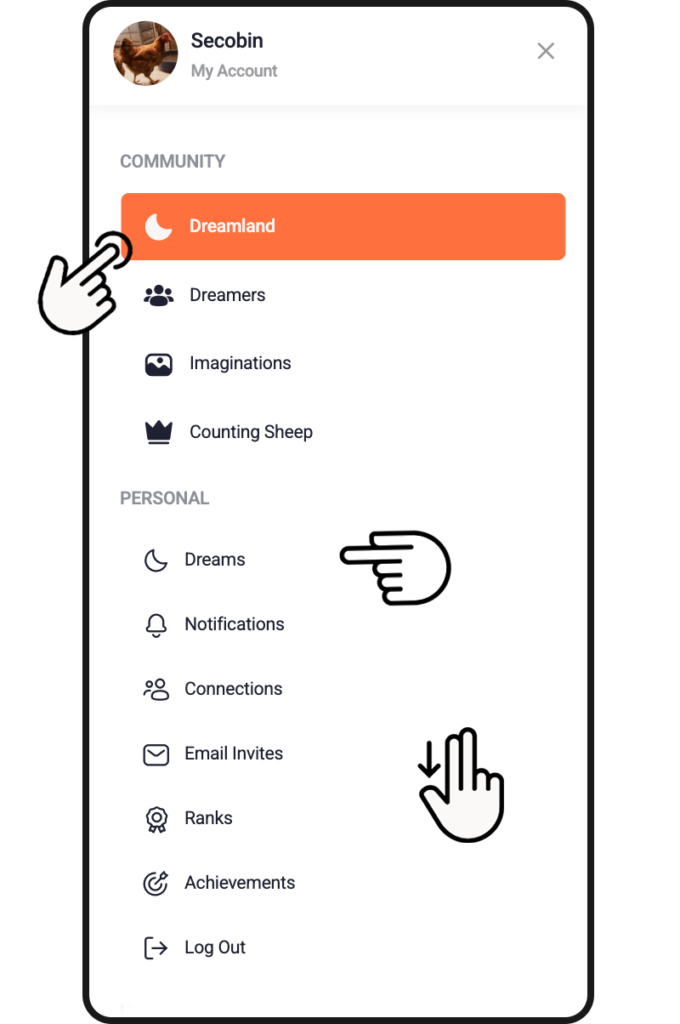
After logging in you access Dreamland, the heart of the social network. But let’s go in order and first of all let’s take a look at the menu that you access by clicking on the top left. Here you will find the following sections:

COMMUNITY

  • Dreamland
    When you open myFriendsheep it is always the first page and is nothing more than the heart of the social network, where all the users’ dreams are displayed and sometimes a surprise awaits you.
  • Dreamers
    On the page you can find your friends and add them to your connection
  • Imaginations
    Here the magic happens and dreams become “reality” and are transformed into a visual image.
  • Counting Sheep
    The gaming platform developed for the social network.

PERSONAL

  • Dreams
    This is your personal page. Here, in addition to collecting all your dreams and your interactions with other dreamers, you can customize your profile
  • Notifications
    The area dedicated to viewing alerts and interacting with other community dreamers.
  • Connections
    The space to track your relationships and connection status with other profiles.
  • Email Invites
    Invite your friends and contacts to join the network.
  • Ranks
    Track your dreamer level in the community
  • Achievements
    Achieved goals & milestones

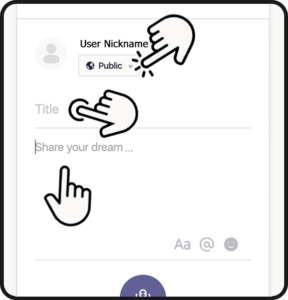
+ Add new dream

  • Select your privacy settings:
    – Public (Visible to anyone, on or off this site)
    – All Membres (Visible to all members on this site)
    – my Friends (Visible only to your connections)
    – Only me (Visible only to you)

  • Enter the dream title (required field)

  • Now, choose whether to write your dream or record a voice note.

If you choose to write it, tap the text field. Remember that:

You can use text formatting
You can mention a user by typing @ followed by their nickname
You can add emojis to the text.

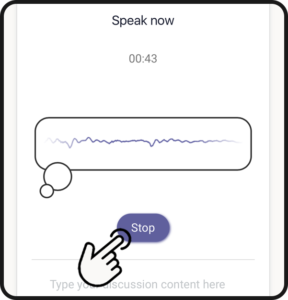
If you prefer to record your dream, tap the microphone icon.
(The first time, you will be asked to enable microphone access on your device).

– Tell your dream
– When finished, tap Stop (maximum recording time is 1 minute)

– Listen to the playback by tapping the PLAY icon.
– If you are satisfied, tap Save, or tap Reset to record a new audio.

  • Select a Topic.This will categorize your dream for search purposes.

  • Once finished, tap Post to share your dream and save it to your archive.

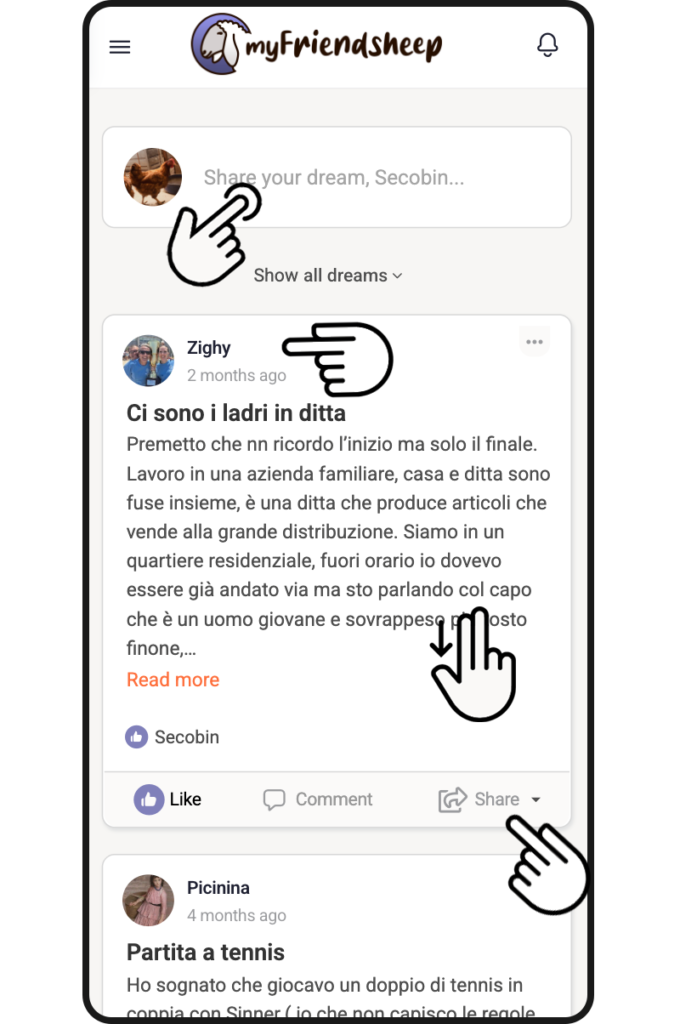
Dreamland

You could say that Dreamland is the heart of myFriendsheep.
As you scroll down the page, you can view previews of all the dreams published by users: you can listen to them directly (if the content is audio) or click “Read more” to read them in full.

By clicking “Show all dreams” you can use a drop-down menu to choose whether to view only dreams posted by your connections, your own dreams, or only the dreams you have “liked.”

Beneath each dream, you can “like” it or express other reactions to what you have just read or heard.
You can also comment on a dream or try to offer an interpretation.

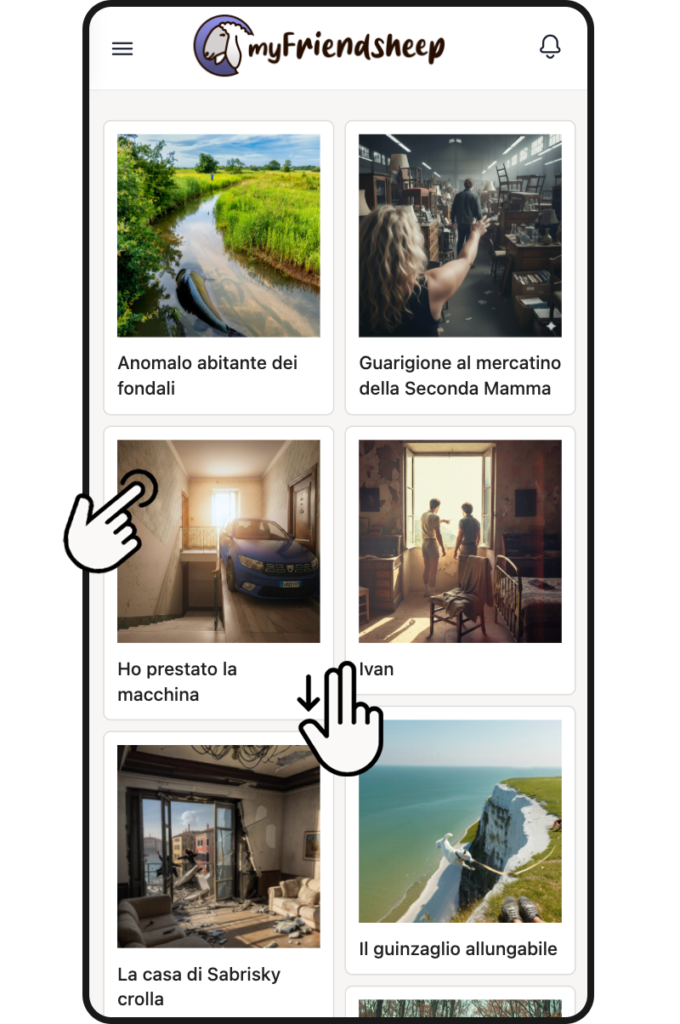
Imaginations

This is a truly special section, not to say magical. This is where dreams become reality and transform from a simple subconscious thought to a real image.

How does this magic happen?

The most beautiful, most voted and awarded dreams (see below how in the “Counting Sheep” section) are processed, interpreted and subjected to the encoding of Artificial Intelligence algorithms in order to obtain a visual image. It is a difficult process, not at all simple and for this very reason we are not yet able to offer this service to all users, but have faith, we are working on it.

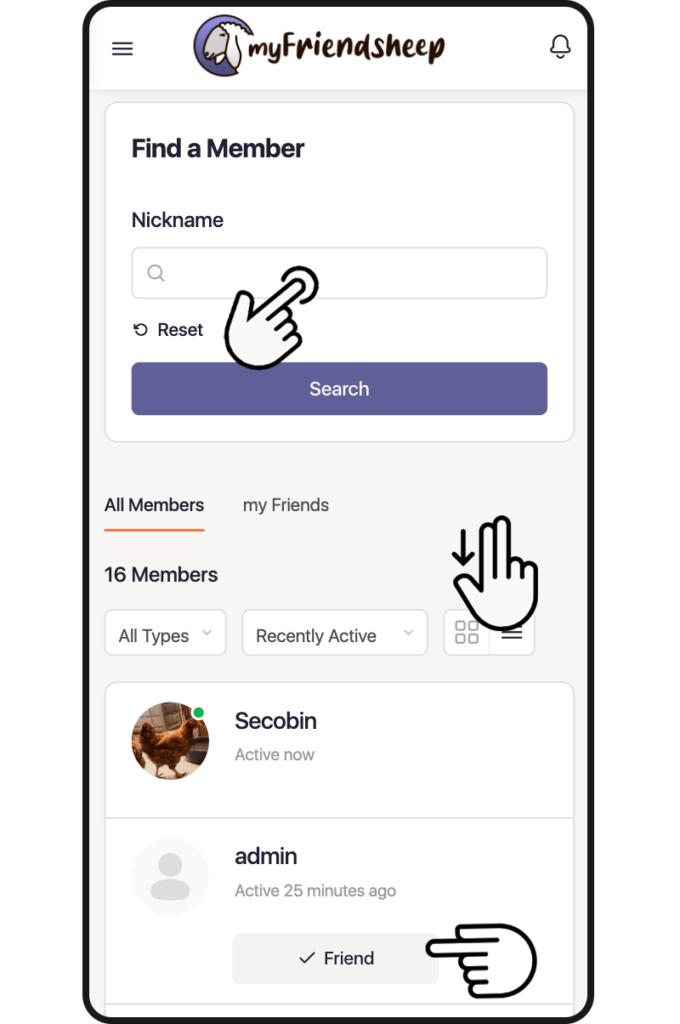
Dreamers

In this section you can search and find lost sheep, friends or simple dreamers.

This is where the social network gets its name: myFriendsheep.

Do you want to stay up to date and not miss your friends’ dreams? Easy.
Enter their nickname and then click Connect. You will send a friend request. If accepted, every time they post a new dream you will receive a notification.

Do you want to simply browse? Are you interested in some dreamer in particular?
After entering their nickname click on it and you will be redirected to their personal page where you can read or listen to all the dreams they have posted.

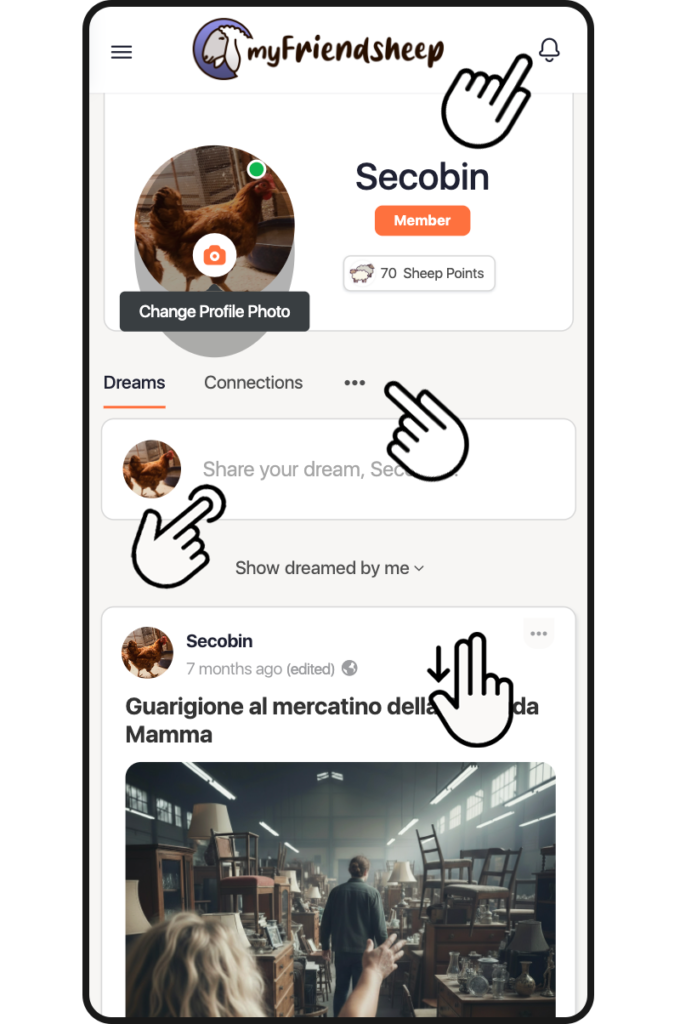
myDreams

Entering the myDreams section is like accessing your subconscious. All the dreams you have posted are archived here.

IMPORTANT
At the top right you will find the notification bell.
A friend you are following posts new content?
Did you receive a comment or did a user try to interpret one of your dreams?
Have you been dreamed by someone?
Do you have a new friend?
A new notification is notified to you.
Click on the bell to view it.

You can also customize your avatar by clicking on the image itself. The relevant page will open where you can upload an image or take a selfie.

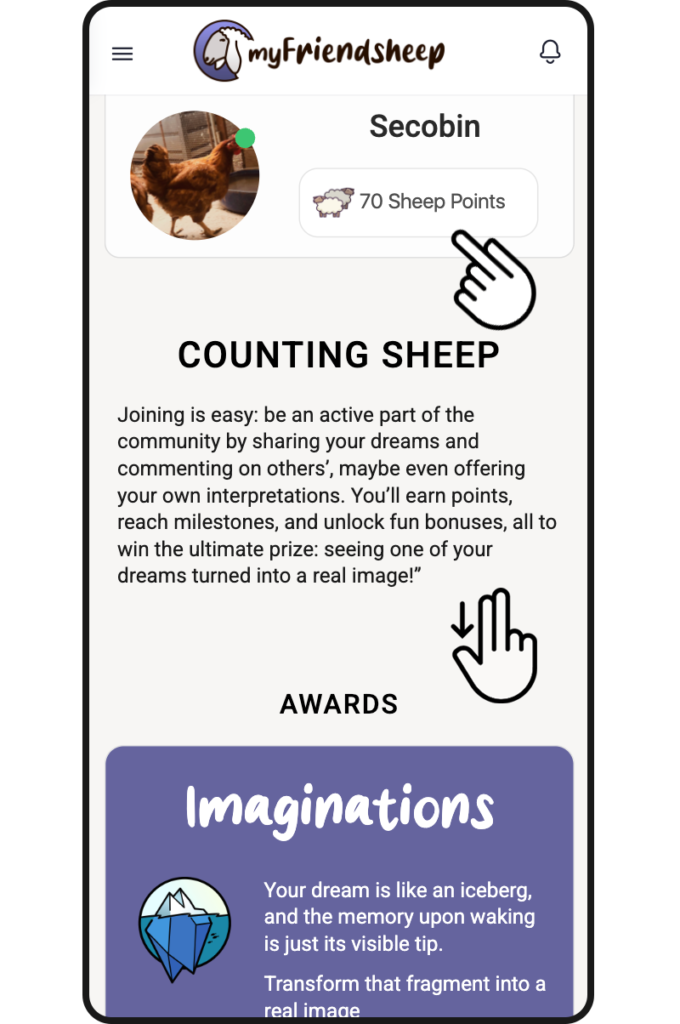
There is also a quick summary of your game standing, showing the “sheep” points you have accumulated.

Gaming

myFriendsheep began as a game-oriented social network; this section gathers all information regarding “Counting Sheep” the game integrated into the platform.

By sharing dreams and leaving comments, users can earn “Sheep Points” named after the common method of falling asleep: counting sheep.

Accumulating points is essential for winning the available prizes.

In this section, alongside your current score, you can view the Leaderboard (reflecting interaction levels) and Milestones (goals that have been unlocked and those yet to be achieved).

Awards

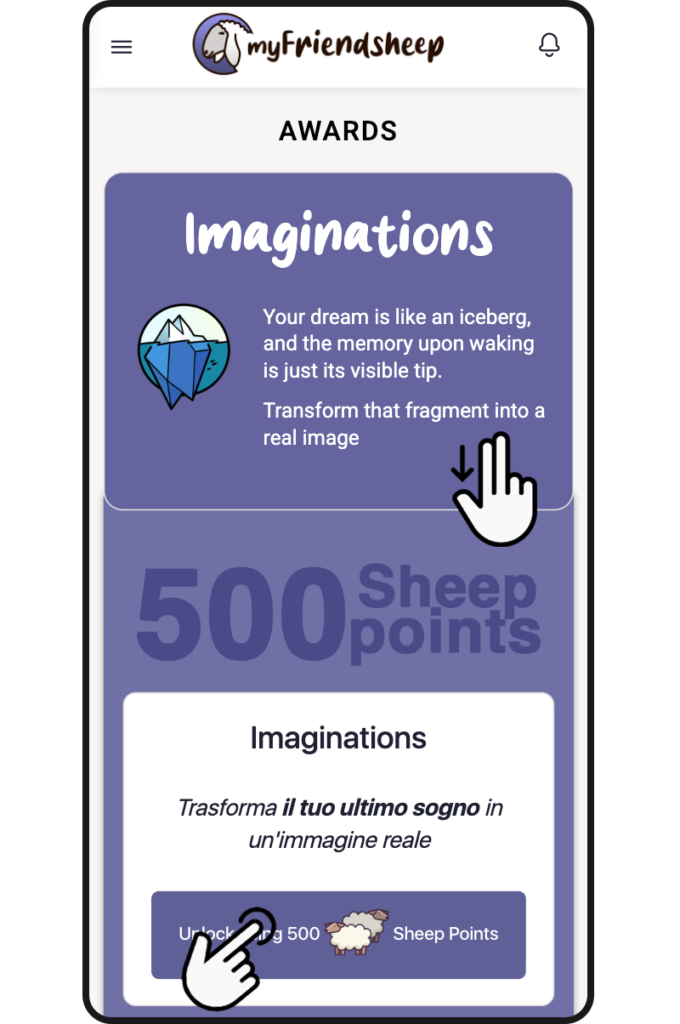
Scroll down to explore the available rewards and unlock them if you have enough points.

You can ask to transform one of your dreams using Imaginations, our AI generation engine, or publish and request Newsleeper, the community magazine

Link on Phone and Tablet

Do you want to stay up to date and never miss a dream?

Go to the home page and use the “+ Add to Home Screen” function on your mobile device.
The myFriendsheep icon will appear as a quick link and you will be able to access the social network more easily.

Congratulation!

You shared a new dream

+5 Sheep Points