Login Page

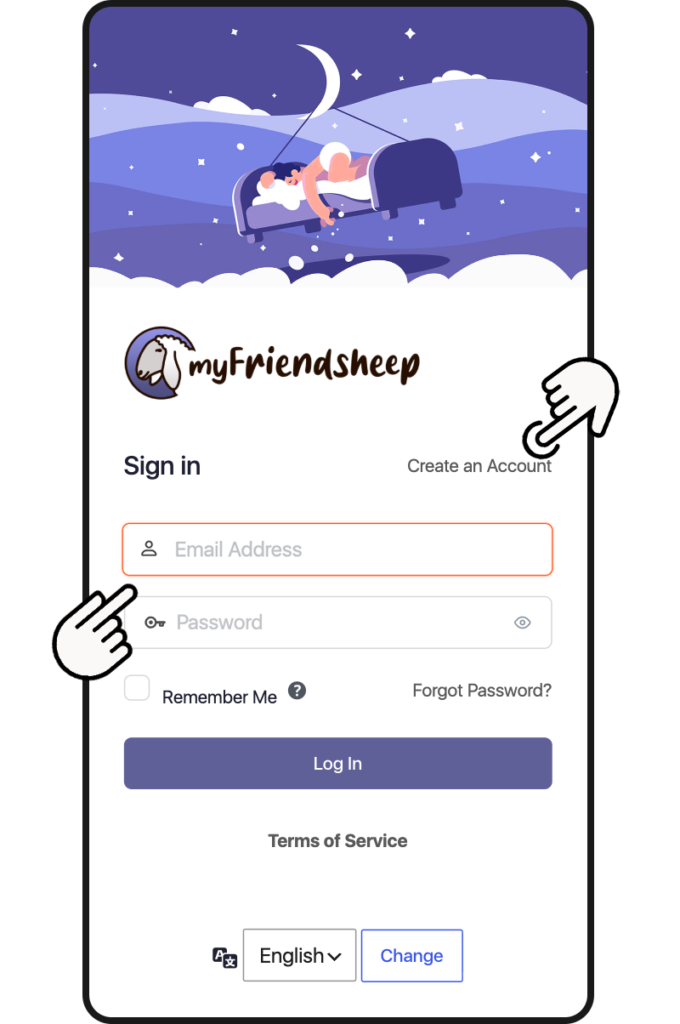
The Login page is the first one you encounter when you access the social network.
Just enter the nickname you registered with and of course your password.
You can also select the language of the menus.

If you have not yet registered a user click on Create an Account, you will be directed to the registration page. You will be asked to enter a Nickname, your Name and Surname (optional), a valid Email.

You can start!

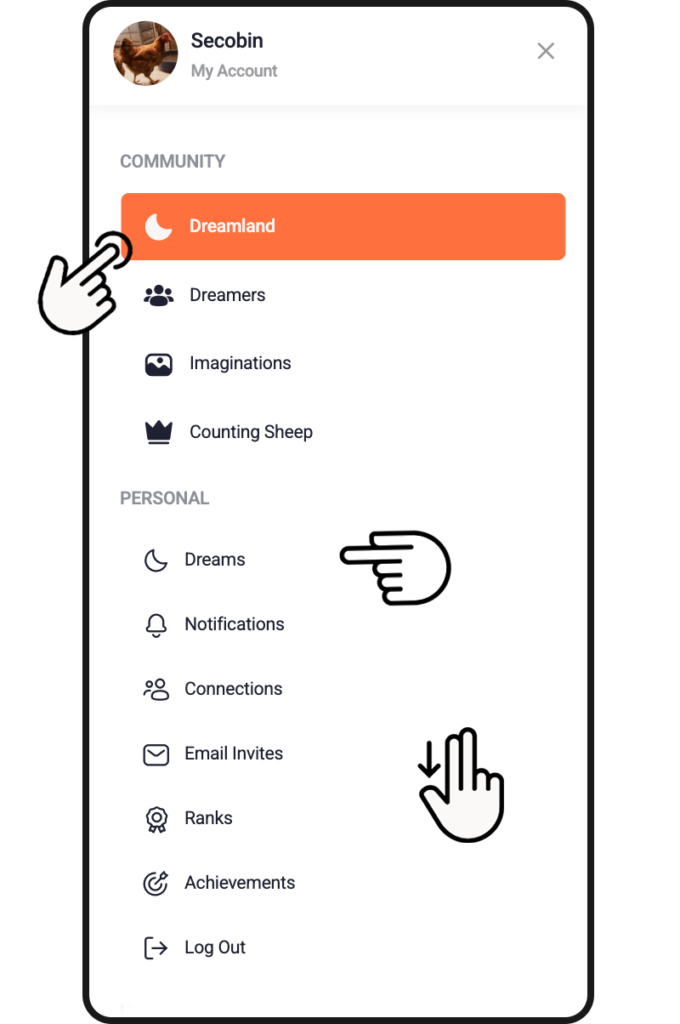
After logging in you access Dreamland, the heart of the social network. But let’s go in order and first of all let’s take a look at the menu that you access by clicking on the top left. Here you will find the following sections:

  • + Add dream
    The link takes you to the page to insert new dreams: text or audio, as you prefer.

COMMUNITY

  • Dreamland
    When you open myFriendsheep it is always the first page and is nothing more than the heart of the social network, where all the users’ dreams are displayed and sometimes a surprise awaits you.
  • Dream-Factory
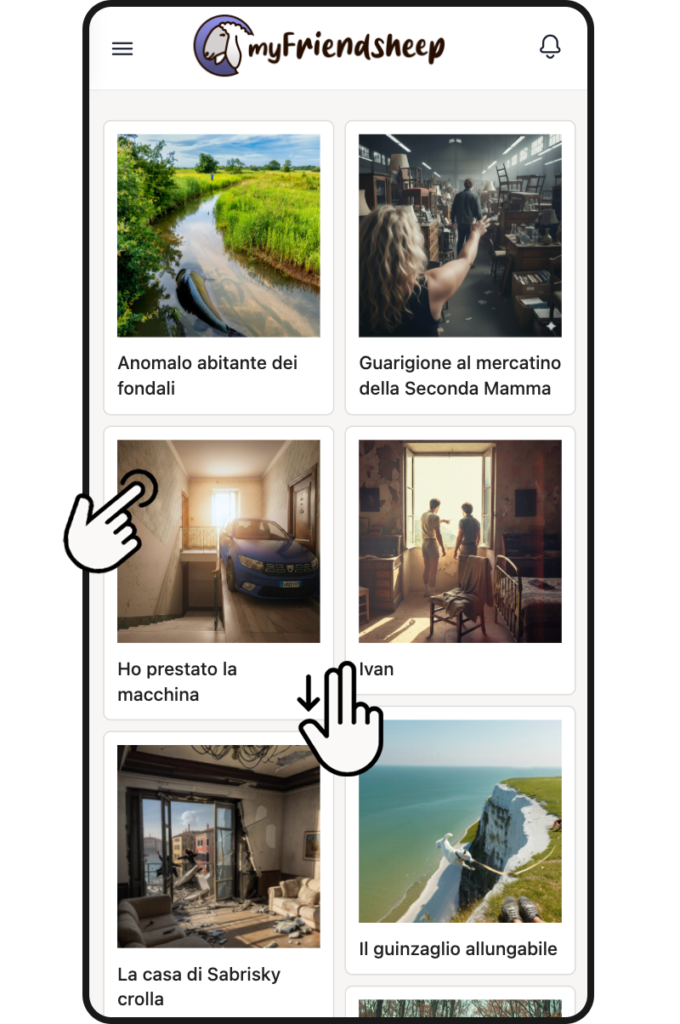
    Here the magic happens and dreams become “reality” and are transformed into a visual image.
  • Members
    On the page you can find your friends and add them to your connection

PERSONAL

  • myDreams
    This is your personal page. Here, in addition to collecting all your dreams and your interactions with other dreamers, you can customize your profile
  • Reply
    Here all your comments and discussions with other users are collected
  • Favorites
    Collection of your favorite dreams
  • Gaming
    Last but certainly not least is the Gaming section. Here the rules of the game associated with myFriendsheep are explained and the points and results obtained are stored.
  • Awards
    Unlock your rewards or visit the store

+ Add new dream

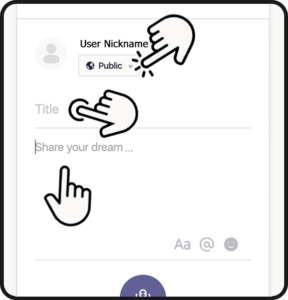
  • Select your privacy settings:
    – Public (Visible to anyone, on or off this site)
    – All Membres (Visible to all members on this site)
    – my Friends (Visible only to your connections)
    – Only me (Visible only to you)

  • Enter the dream title (required field)

  • Now, choose whether to write your dream or record a voice note.

If you choose to write it, tap the text field. Remember that:

You can use text formatting
You can mention a user by typing @ followed by their nickname
You can add emojis to the text.

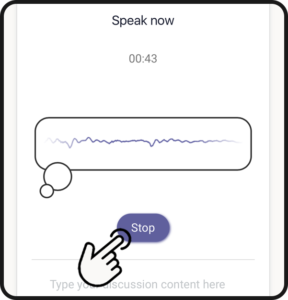
If you prefer to record your dream, tap the microphone icon.
(The first time, you will be asked to enable microphone access on your device).

– Tell your dream
– When finished, tap Stop (maximum recording time is 1 minute)

– Listen to the playback by tapping the PLAY icon.
– If you are satisfied, tap Save, or tap Reset to record a new audio.

  • Select a Topic.This will categorize your dream for search purposes.

  • Once finished, tap Post to share your dream and save it to your archive.

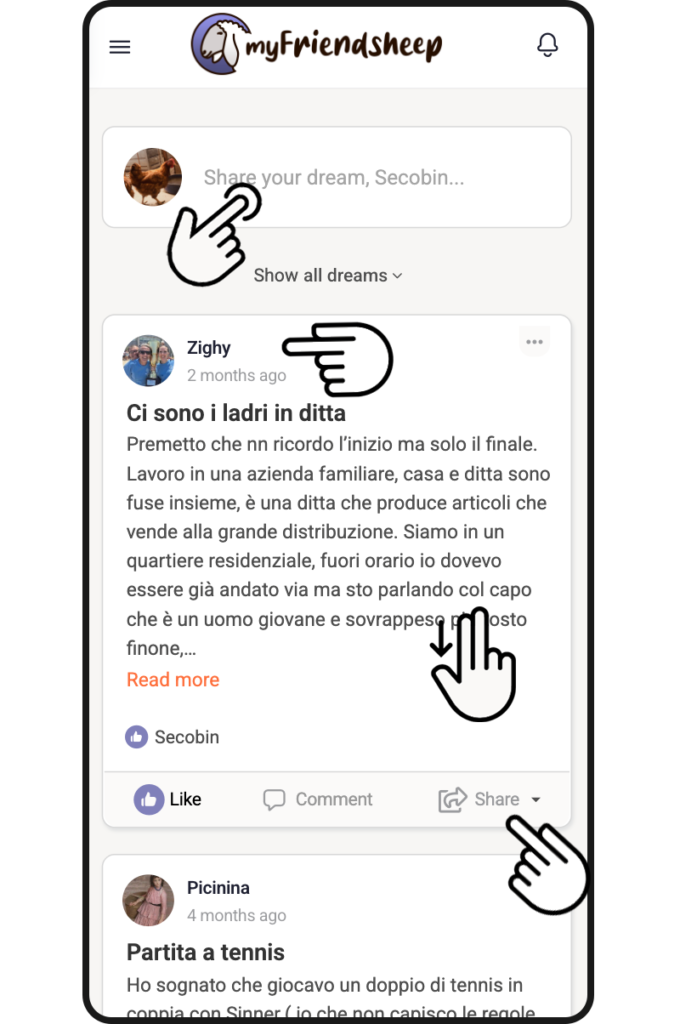
Dreamland

Dreamland, you could say that it is the page that collects the heart of myFriendsheep.
By scrolling you can view the previews of all the dreams posted by users, you can listen to them directly if the dream is an audio or click on each of them to read them entirely.

By clicking on myFriends you can instead view only your connections.

Under each dream you can give a like or other reactions to what you have just read/listened to.

Do you want to write a comment or attempt an interpretation instead? Enter the dream page and you will find the box to comment or continue a discussion already started.

Dream-Factory

This is a truly special section, not to say magical. This is where dreams become reality and transform from a simple subconscious thought to a real image.

How does this magic happen?

The most beautiful, most voted and awarded dreams (see below how in the Gaming section) are processed, interpreted and subjected to the encoding of Artificial Intelligence algorithms in order to obtain a visual image. It is a difficult process, not at all simple and for this very reason we are not yet able to offer this service to all users, but have faith, we are working on it.

Do your best in describing your dreams and earn useful points. Good luck and sweet dreams!

Members

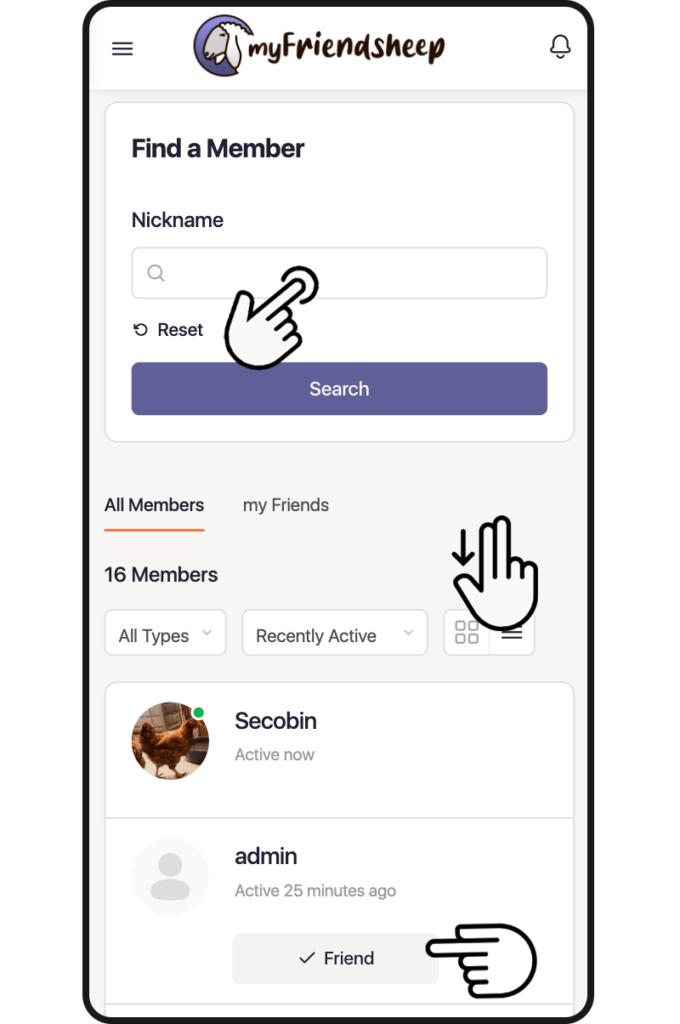
In this section you can search and find lost sheep, friends or simple dreamers.

This is where the social network gets its name: myFriendsheep.

Do you want to stay up to date and not miss your friends’ dreams? Easy.
Enter their nickname and then click Connect. You will send a friend request. If accepted, every time they post a new dream you will receive a notification.

Do you want to simply browse? Are you interested in some dreamer in particular?
After entering their nickname click on it and you will be redirected to their personal page where you can read or listen to all the dreams they have posted.

myDreams

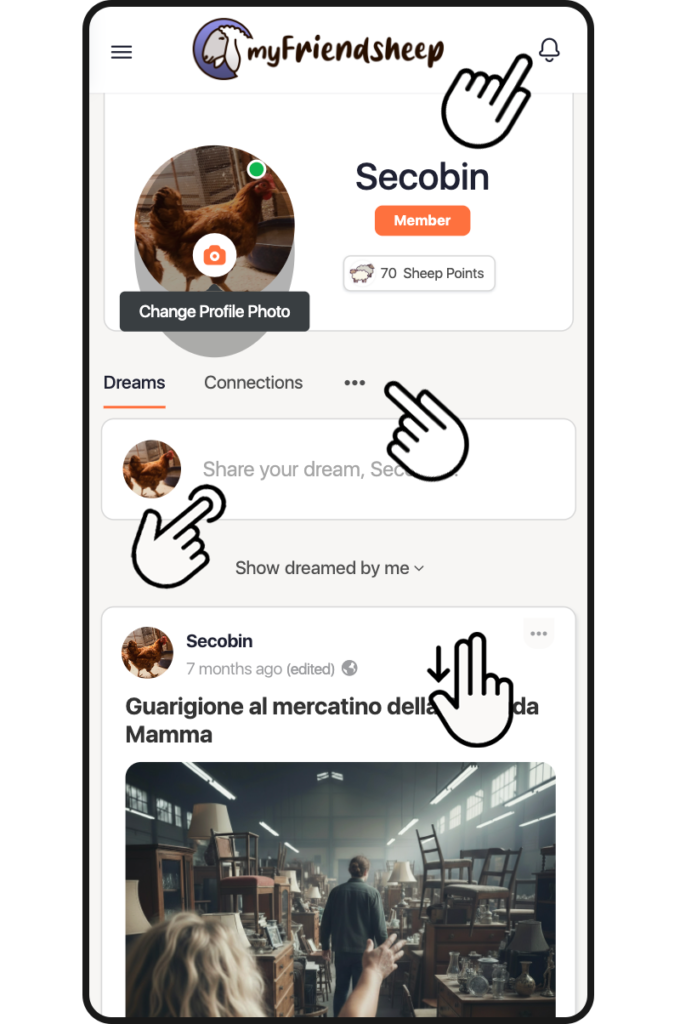
Entering the myDreams section is like accessing your subconscious. All the dreams you have posted are archived here.
You can also find the interactions you have had with the community and all your favorite dreams by clicking on myReply or myFavorite respectively.

IMPORTANT
At the top right you will find the notification bell.
A friend you are following posts new content?
Did you receive a comment or did a user try to interpret one of your dreams?
Have you been dreamed by someone?
Do you have a new friend?
A new notification is notified to you.
Click on the bell to view it.

You can also customize your avatar by clicking on the image itself. The relevant page will open where you can upload an image or take a selfie.

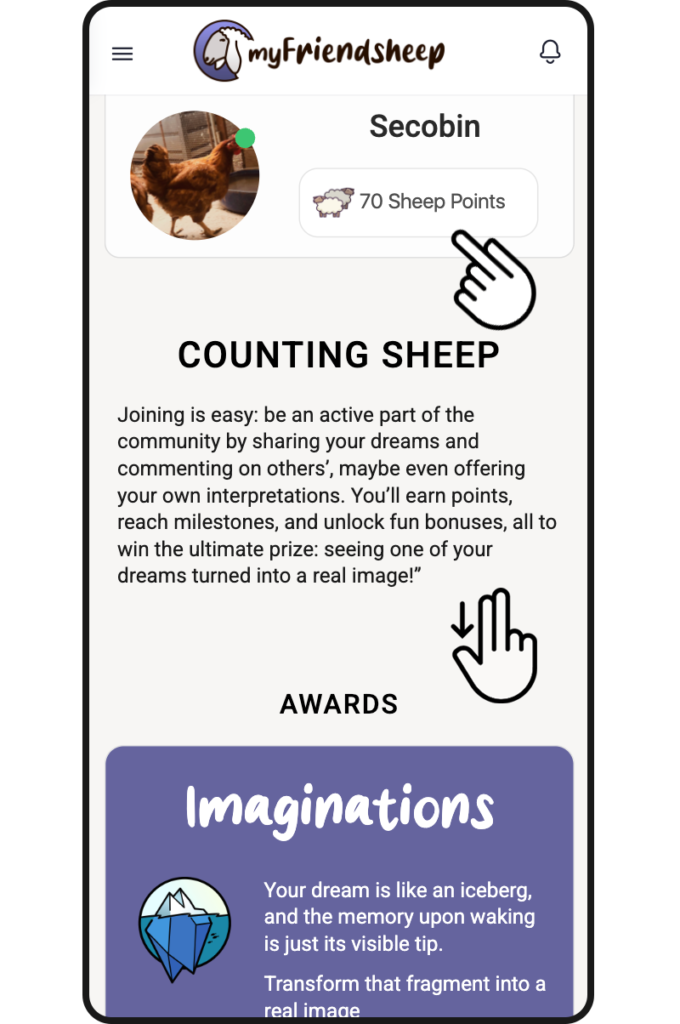
There is also a quick report on your Gaming position.
The accumulated sheep points, and your current Rank.

Gaming

myFriendsheep is intended as a social network in itself that is playful and in this section all the information related to your game position is displayed.

By sharing dreams and commenting you can accumulate Sheep Points, so called because they recall the most common method of falling asleep… Counting sheep.

Collecting points is essential to obtain the prizes up for grabs.

In the section, in addition to your current score, you can view the Rank (the level of interaction achieved) and the Achievements (the objectives unlocked and to be overcome).

Awards

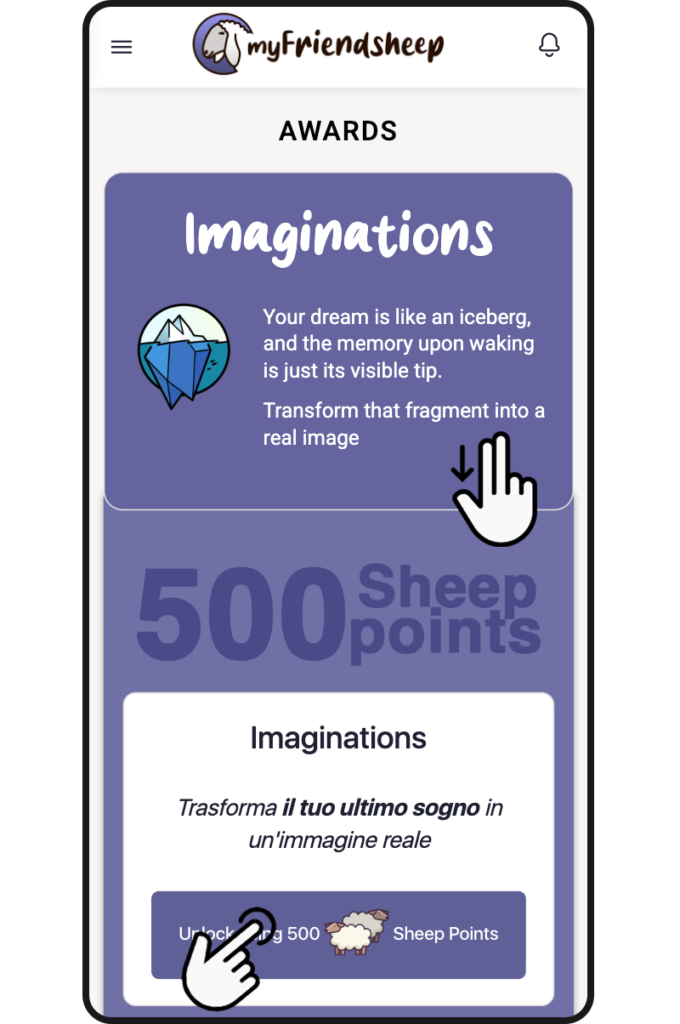
On this page you can view and unlock your rewards.
You can request to transform one of your dreams through the Sigmund Generator (AI processor).

Haven’t accumulated enough points? Go to the store and see our offers.

Link on Phone and Tablet

Do you want to stay up to date and never miss a dream?

Go to the home page and use the “+ Add to Home Screen” function on your mobile device.
The myFriendsheep icon will appear as a quick link and you will be able to access the social network more easily.

This site is registered on wpml.org as a development site. Switch to a production site key to remove this banner.